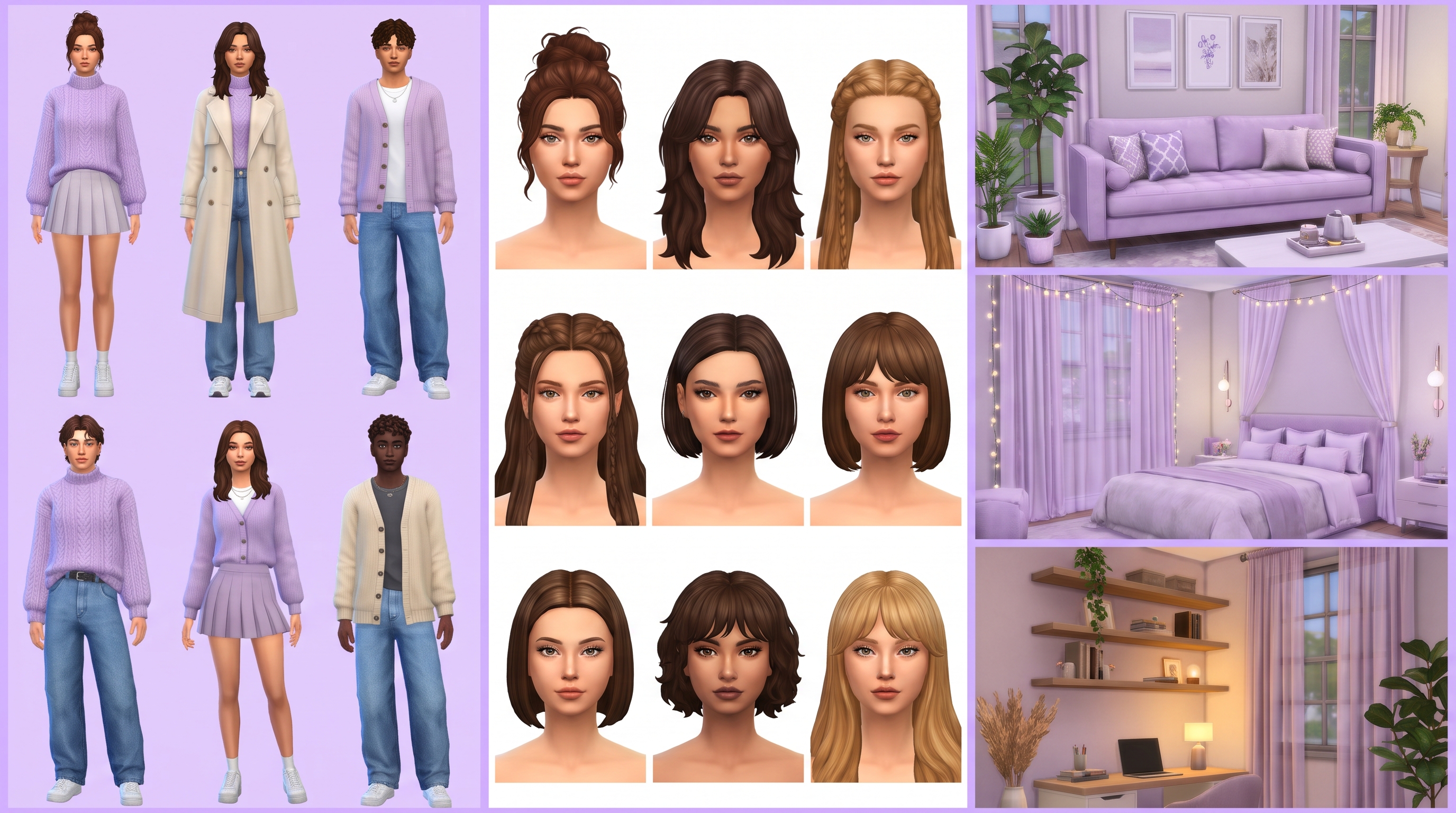
Sims 4 Aura Lookbook & Seasonal CC Pack
A neatly organized archive of Maxis Match outfits, soft editorial hairstyles, and warm interior decor curated for effortless Create-A-Sim and Build mode inspiration.
Unlock Aura CC ArchiveFree community archive. A brief sponsor verification unlocks access. See details
- 100+ Sorted CAS & Build Files
- Base Game Friendly
- Help: support@simspropack.online
Curated Style Themes & Lookbook Highlights
Each folder inside the SimsAuraPack lookbook is sorted by category and tested for smooth frame rates across desktop and laptop setups:
1. Soft Aesthetic Wardrobes
Layered knits, vintage denim, and neutral everyday outfits crafted in clean Maxis Match clay textures that fit right into every neighborhood.
2. Natural Hair & Details
Braided styles, effortless waves, and subtle skin details with full EA color palettes and clean LOD meshes.
3. Warm Living & Bedroom Sets
Minimalist wooden furniture, soft lighting, and functional clutter pieces optimized with low polygon counts for fast lot loading.
How access works
- Select your archive. Choose either the Aesthetic CAS & Build lookbook or the Gameplay Script Mods guide.
- Complete a quick partner step. Optional sponsor verifications allow us to keep curating and hosting lookbooks free of charge.
- Download & organize. Your folder unlocks right after verification along with clean installation steps.
Inside the Aura archive
- 100+ pre-sorted CAS & Build/Buy packages
- Everyday, Formal & Cold Weather outfit sets
- Maxis Match hairstyles & delicate accessories
- Cozy bedroom, kitchen & living room decor

Realism & Gameplay Mods Collection
A curated bundle of popular quality-of-life script mods to enrich your Sims' relationships and daily storytelling. Remember to back up your Mods folder before game updates.
Includes folder organization and update tips.
Common Questions
Why is there a verification step before downloading?
All lookbooks on SimsAuraPack are free without paid subscriptions. Completing a short verification step from our advertising partners covers server bandwidth and curation time.
Where do I place the files in The Sims 4?
Extract the zipped archive and move the .package files to Documents/Electronic Arts/The Sims 4/Mods. Open The Sims 4, go to Game Options → Other, tick "Enable Custom Content and Mods" (plus "Script Mods Allowed" for script mods), and restart the game.
How can I contact support?
Send a message to support@simspropack.online with your operating system and question, and we will help you troubleshoot.